
Dear Golf Community,
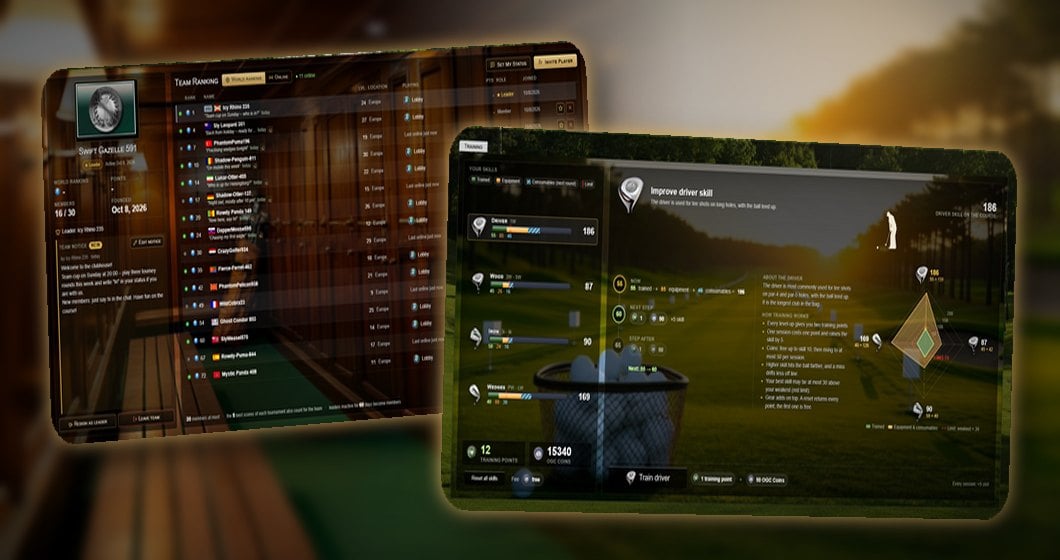
two tabs you use every day have a completely new look: My Team and Training. Both are clearer, show more at a glance and finally feel the way golf should feel – with a clubhouse atmosphere and evening light on the range.
First of all, a big and heartfelt thank you to all of you! Without your messages, your criticism and your many suggestions, these two pages would not exist in this form. You told us what you were missing, what bothered you and what you were wishing for – and that is exactly what this rework is built on. Thank you for taking the time!
My Team – your clubhouse
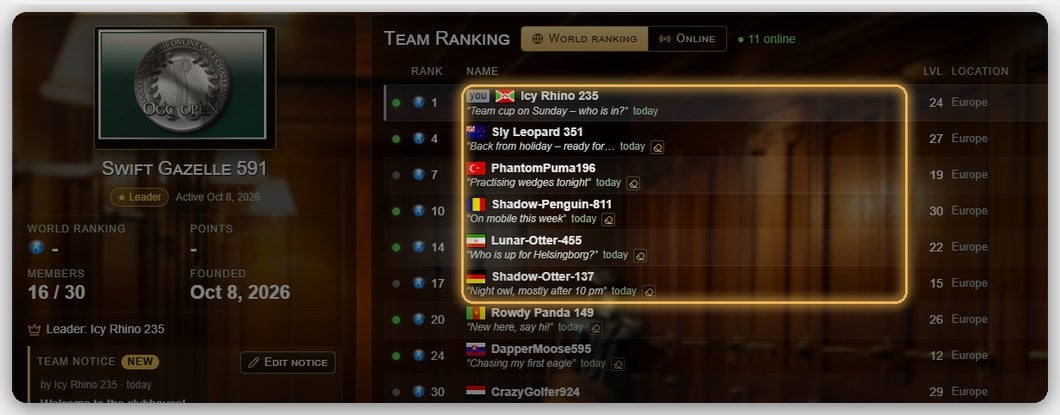
- Crest panel: On the left you see your team at a glance – crest, world ranking position, points, number of members and founding date.
- Personal status: With Set My Status every member can leave a short line – “On holiday”, “Who is playing tonight?” or “New here, say hi!”. So you always know what your teammates are up to.
- Team notice: The leader can pin a notice for the whole team, for example for the next team cup. When it is new, it is marked NEW.
- Who is around? A green dot shows who is online, and the Playing column tells you where they are playing right now. The Online switch sorts everyone who is around to the top.
- Clear buttons: Invite, promote to leader, remove from the team, resign as leader or leave the team – every action has its own button with an icon. And if you are not in a team yet, you see “create a team” and your open invitations side by side.
The rules are now right below the list: up to 30 members, the best 5 results of each tournament count for the team, and leaders who have not played for 60 days become members.
Training – your trainer bench on the range
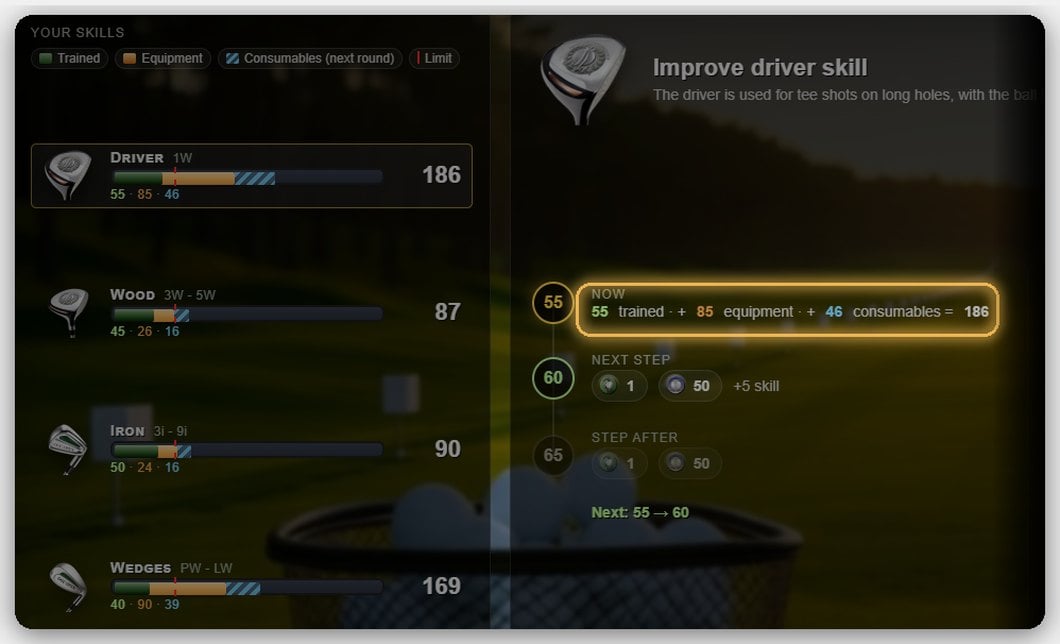
- Honest numbers: Every club now shows what its value is made of – trained, equipment and consumables for your next round. The trainer bench even does the maths for you: 55 trained + 85 equipment + 46 consumables = 186.
- The next steps: You see what the next and the following training session cost (training points and OGC Coins) and where they will take you.
- Instant feedback: After clicking Train the new value is there right away and lights up briefly – no waiting, no flicker.
- Reset with a safety question: You can still redistribute all your points, the first reset is free – and an accidental click is now caught.
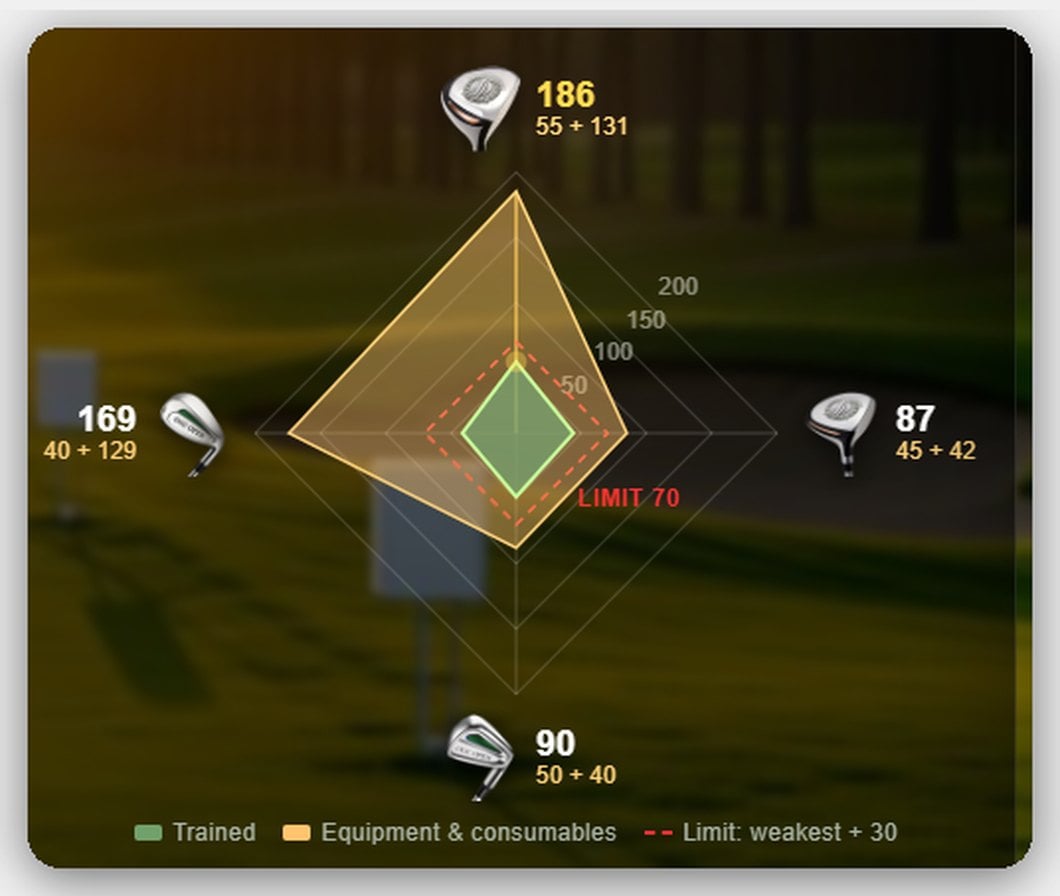
- The diamond: All four clubs in one picture – green is what you trained, gold is everything your gear adds on top. The red line shows the limit (weakest skill + 30), and the scale grows with you.
- At the finish line: Once you reach level 30 and have spent all your points, you get “Training complete” and see exactly how each club is built up.
- And on large screens your golfer swings along with the selected club.
Now it's your turn!
These pages are built for you – so tell us what you think. What works, what is still missing, what would you like to see next? Every idea and every suggestion is welcome, even the small ones. Write to us via our support form – we read everything, and many of your suggestions go straight onto our list.
As always, you will find more about teams and training in our FAQ.
GO DIRECTLY TO THE GAME HERE!Enjoy the clubhouse and the range – your OGC Open Team